Most people use AI chatbots for one-off questions. But the real leverage comes from turning a chatbot into a dedicated team member that runs the same job every day without being asked.
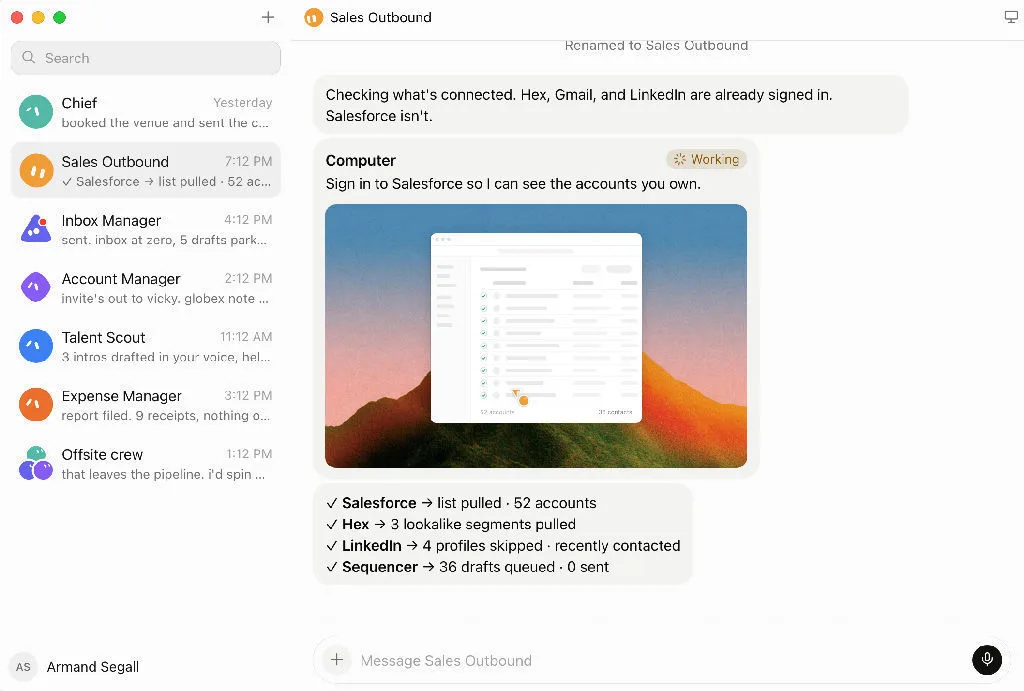
I built a Daily AI News Bot using Grok Bot. It wakes up every morning, scans a curated set of sources, filters aggressively, ranks what matters, and delivers a clean HTML digest before 8:00 AM. No manual triggering. No copy-pasting links. Just a research assistant that shows up on time.
Here is how I set it up, and the prompt architecture behind it.
Why a Dedicated Bot Instead of a Chat
You could ask any AI model "what happened in AI today" every morning. The problem is you would get generic summaries, miss niche signals, and lose consistency across days.
A Grok Bot is different. It is a persistent agent with:
- A name and a defined role (it knows what it does)
- Skills (the instructions for how to do the job)
- Routines (when to do it, automatically)
- Memory (it remembers your preferences over time)
Routines keep running even when your computer is off. The bot checks in on schedule, runs the skill, and delivers the result.
For a repeating editorial workflow like daily news curation, this architecture is a better fit than one-shot conversations.
The Two Paths: Automations vs Bot
Grok offers two ways to schedule recurring work:
| Grok Automations | Grok Bot | |
|---|---|---|
| Entry point | grok.com/automations or in-chat |
Create new agent in Grok Bot |
| Best for | Simple reminders, single-task runs | Complex workflows with memory |
| Persistence | Each run is a fresh conversation | Long-term preferences, evolving skills |
| Runs offline | Yes | Yes |
| Skill + Routine | No separation | Separate what from when |
For a daily AI news digest that needs consistent editorial standards, source priorities, and evolving quality, the Bot path is the right choice.
Setup: The Minimum Viable News Bot
Step 1: Create the Agent
In Grok Bot, create a new agent. Give it a clear name like Daily AI News or AI News Desk.
Step 2: Define the Role
Write a focused job description. The bot should know exactly what it does and does not do:
- Research and filter AI news from the last 24 hours
- Produce a ranked HTML digest
- Never post on your behalf
- Never include weak stories just to fill space
Step 3: Run It Manually First
Before automating anything, run the workflow by hand. Ask the bot to produce today's digest. Check the output. Adjust the instructions. Repeat until the quality is stable.
This is the most important step. Do not automate a broken process.
Step 4: Save as a Skill
Once the output is consistently good, save the workflow as a skill. The skill captures the full editorial process: sources, filters, ranking logic, output format.
Step 5: Attach a Routine
Tell the bot:
Run the "Daily AI News Digest" skill every day at 7:30 AM (Asia/Shanghai). Deliver the result in this conversation. If a data source is unavailable, report the failure. Do not use yesterday's data.
The bot creates the routine and shows the next scheduled run. You can pause, reschedule, or review history from the Routines panel.
The Prompt Architecture
The prompt is not a simple instruction. It is a full editorial brief with eight components:
1. Role definition. "You are a Daily AI News Research Bot."
2. Goal and deadline. Produce a high-signal digest before 8:00 AM UTC+8.
3. Topic priorities. Model releases, product launches, coding tools, agents, open-source, GitHub velocity, API changes, pricing shifts, meaningful benchmarks, practical research.
4. Source hierarchy. Must-check sources first (Hacker News, GitHub Trending, Hugging Face Daily Papers), then official blogs, then aggregators for gap coverage, then community discussion only when it adds signal.
5. Noise filters. Explicitly remove duplicates, hype, clickbait, marketing, minor updates, recycled news, unsupported rumors, generic funding announcements, shallow opinions.
6. Ranking criteria. Practical impact first. Then technical importance, novelty, relevance to builders, workflow impact, community momentum, lasting significance.
7. Output structure. Top 3 Worth Watching, then 5-10 ranked stories. Each story gets: title, what happened, why it matters, key details, source link, and an X post angle.
8. Delivery format. Self-contained HTML with embedded CSS, mobile-friendly, all links opening in new tabs, styled like a private research dashboard.
Source Strategy: Layers, Not a Flat List
The sources are organized in tiers, not treated equally:
Tier 1: Must-check daily
- Hacker News (early builder signal)
- GitHub Trending (what is growing fast right now)
- Hugging Face Daily Papers (curated research)
Tier 2: Official announcements
- OpenAI, Anthropic, Google DeepMind, Hugging Face blogs
- Always prefer official source over secondary coverage
Tier 3: Aggregators for discovery
- hotin.ai, LLM Digest, FLUX REPORT, AI News Hub, AI Beat, AI Papers
- Use to find stories you might have missed
- Multiple aggregators repeating the same story counts as one item
Tier 4: Community as early signal only
- r/MachineLearning, r/LocalLLaMA
- Never treat speculation as confirmed fact
- Label anything unconfirmed
Editorial Rules That Make the Difference
The most important part of this system is what it excludes. Anyone can aggregate. The value is in filtering.
Key rules baked into the prompt:
- If the news cycle is quiet, produce a shorter report. Never pad with weak stories.
- Merge duplicate coverage into one entry.
- Research papers must explain what changed in practice, not just repeat the abstract.
- GitHub repos must solve a real problem and be usable today, not just have high star counts.
- Leaks, fingerprinting, and anonymous claims must be explicitly labeled "Unconfirmed."
- No "game-changing," "revolutionary," or promotional language.
The HTML Output
The final product is a complete, self-contained HTML page:
- Opens directly in any browser, no dependencies
- Clean visual hierarchy: header, daily summary, Top 3, ranked cards, footer with generation time
- Every source link clickable, opens in new tab
- Works on desktop and mobile
- Feels like a private research dashboard, not a marketing site
- Filename follows a date pattern:
ai-news-2026-08-28.html
What I Learned Running This
After running the bot daily:
-
The source tier system matters. Without it, the bot wastes time on low-quality aggregator content and produces a noisy digest.
-
Explicit exclusion rules work better than inclusion rules. Telling the bot what to remove produces cleaner output than telling it what to keep.
-
Manual runs first, automation second. Every time I skipped the manual verification step, I ended up debugging a routine that produced garbage.
-
The "X post angle" field is surprisingly useful. Even if you never post it, having a one-line hook for each story forces the bot to identify what is actually interesting about the news.
-
Short reports on quiet days build trust. A 4-story digest on a slow Tuesday is more valuable than a 10-story digest padded with filler.
Try It
If you want a dedicated AI research assistant that shows up before you start your day, Grok Bot is one of the cleanest ways to build it. The combination of skills (editorial instructions), routines (scheduling), and persistent memory (preference learning) maps directly onto this kind of recurring editorial workflow.
Start with one manual run. Get the output right. Then automate.
Download Grok Bot: x.ai/bot